The first thing that came to my mind was "Chandler Bing" from Friends TV series but did not find Bing as funny. Neither did I find Bing that serious. Bing was launched recently.
My first impression after loading the home page was that there is something outdated about the page. I am not trying to criticize here, but when a search engine is named as a competitor of Google, it better live up to some minimum expectations. One example is when you search for "Google" on Bing, it give you two results. First one is the Google website and then a set of news on Google. Then it forces you to click another URL to see other results. This probably is not the right kind of user experience that I want.
One other observation is about how the image search compares against Google. I would just say that Google wins it hands down, because of the amount of relevant results that Google gives us. I searched for my name on Bing Image search and it gave me hardly 7 results, at the same time Google gave me 439 results of which atleast 50% were relevant images.
For exploring more on how Google and Bing performs against each other, I suggest checking out this webservice.
Till then have fun "Binging" as I go back to "Googling" ... Hope to see Bing match up to Google's level someday ...
Thursday, June 4, 2009
Bing Is Here


Wednesday, May 13, 2009
Advent Of Real-Time Search - Checking Scoopler

Real-time web is the next big thing and there are quite a few real-time search services that are creating buzz around. Tweetmeme, OneRiot, Twitscoop, Scoopler etc. Most of these like Tweetmeme and Twitscoop focus around Twitter updates, but OneRiot and Scoopler takes it further to include other services like Digg. Scoopler, which I would really call a "social media search engine" covers Flickr, Youtube, Delicious and other services.
Scoopler keeps it simple and structures the information very effectively. It shows tweets in real-time along with the popular videos, links and images from Youtube, Flickr, Digg etc. Along with it, it also stores your last three searches thereby making it easier to switch between your results.
While your at discovering information through the search, Scoopler makes it easy by showing the entire headline and instead of going to the URL, you can get a "peek" of the content in the target URL and "share" through a host of other services.
More than real-time web I am inclined towards onDemand web as written in the post by @rickmans. With that in mind, Scoopler comes up with too many tweets if you search for a hot topic (Eg: Adam Lambert while American Idol is being aired) and keeps pushing information onto your screen. There is no easy way, time or provision to make sense of the flowing information especially when it is a hot keyword. A "pause" button is critical for Scoopler (or for any real-time service), like in a Tweetmeme or a oneRiot.
Its not eye catchy from a look and feel perspective and I think a lot can be done to improve it.
But, I like Scoopler more than the others right now available.
... and before I finish, Scoopler uses a less known Cloudant, a distributed database service firm (a new type of database) funded by Y Combinator.
Thursday, April 9, 2009
iCloud - OS/Desktop In The Cloud?
According to the post on Geek.com, first desktop in the cloud has been launched. iCloud allows users to have free online storage (upto 3GB free), applications, virtual desktop and backup.
It provides you with 30 free applications and at this moment, supports only IE and Firefox.
Does this service make sense?
iCloud gives you a whole host of options including a command line console. It also manages internet outage, which they explain in their Q & A section:

... if no Internet connection is available when attempting to save or perform changes to a document, icloud will simply store all changes in a transaction buffer that will be sent and synchronized to the data center once an Internet connection has been re-established.
In my first trial, after playing around for 5-10 mins, my IE crashed (which I can probably attribute to Microsoft), but my in subsequent trials, iCloud/IE refused show me a desktop. Firefox was no exception. It got stuck after using for 5 mins. I had to kill Firefox process to get my other applications work. Having encountered this scenario, I want to point out few things:
- iCloud has to evaluate providing an alternate provision to access the data in case the browser or iCloud desktop does not show up. Uptime of the service is very critical.
- Customization options to make the desktop lighter to a level which a user wants to use will become essential from a user experience perspective.
- After 8 years of development, even if it is an Alpha release, I would expect the application to be relatively fast, but it failed my expectation.
I think is a revolution in the making and I hope their beta release focuses more on performance and reliability more than functionalities. Also, there is massive amount of data going to be stored in the cloud once the user community starts using this application more. It's probably time that they also start thinking about monetization model.
Tuesday, March 31, 2009
Comparing Social Software Desktop Clients
There are a bunch of desktop clients available for Twitter, but here I am trying to target the clients that allow accessing other social networks, and facilitate cross posting. With this sudden surge of social networks and a lot of people are getting on to multiple networks like Facebook, Flickr, Blogger, Yammer, Twitter etc and it is high time that we have clients which connect to other networks too.
Twhirl
Twhirl has pretty slick interface and connects to Jaiku and Ping.fm. It uses Ping.fm to connect to other social networks like Facebook and MySpace but does not connect by itself. Twhirl does not let you see the status updates and activities in your other networks on your desktop client. Instead, it just facilitates cross-posting your updates only. The application is light weight and very user friendly. 
TweetDeck
TweetDeck is one of the widely used desktop clients for Twitter. It has Spaz, Snitter, Twhirl, DestroyTwitter etc as competitors. TweetDeck has column based view and you can add quite a few columns for search terms that you want to track. This is apart from your own stream, replies stream and direct messages stream. Twhirl does not give you this flexibility. TweetDeck recently brought out a pre-release version which integrates with Facebook where it allows the user to view status updates of friends on Facebook as well as post messages from Twitter on to Facebook. Being a pre-release version, they have kept it pretty simple. TweetDeck also has API usage statistics and Twitter status. It, however, needs to provide more customizations for the UI like changing fonts and resizing columns.
AlertThingy
AlertThingy's enhanced version was recently released and allows access to Twitter, Facebook, Yammer, Basecamp, Flickr and a host of other social networks. Apart from messages, you can post links and photos on to Facebook which is not provided in TweetDeck or Twhirl. Not just that, AlertThingy lets you access news feeds too which I think is pretty cool. It lags behind in customizations of the UI though. It comes as a very handy tool when you want to use Twitter with Yammer and Facebook. They also have a FriendFeed version. If your popup notification is ON, it can become a little irritating after a while whereas TweetDeck and Twhirl have pretty slick notification system. TweetDeck and Twhirl also scores with reply and re-tweet buttons placed on the Avatar rather than as a separate "Option" in AlertThingy.
All three of these are built on Adobe AIR which makes it work on both Windows and Mac. AlertThingy is rich with functionalities and looks like it has become complicated, but Twhirl and TweetDeck keeps it simple. TweetDeck offers better experience in its simplicity.
Monday, March 30, 2009
Facebook Integration On TweetDeck Helps?
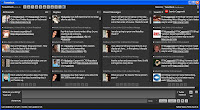
TweetDeck has a pre-release version out with Facebook integration. Now, there is AlertThingy that connects to Twitter, Facebook, Flickr, Tumblr, Yammer etc which seems to be far more comprehensive. TweetDeck, however, has the edge of being one of the most popular tool that works with Twitter.
What you get from the Facebook integration is "status" messages. This integration helps us work from single platform to connect to all the social networks and communicate. But, for me, Facebook integration does not make much of a sense except for the fact that it just lets you see the status messages or cross-post messages on to Facebook.
The power of status messages on Facebook is just like tweets on Twitter, but with lesser frequency and more privacy. Status messages evoke participation and communication through responses in the form of comments. But with tools like TweetDeck and AlertThingy, the commenting feature takes a hit. Not just that, for friends who have not signed up on twitter, you need to respond through Facebook by logging in. TweetDeck and AlertThingy fails here.
If Facebook lets developers access comments through their API and TweetDeck can come up with a innovative UI design on Adobe AIR to pull comments from Facebook and also give provision to post comments back into Facebook, then the integration makes a lot of sense and is useful for social media geeks.
I used Facebook integration feature on TweetDeck for couple of days and did not see any benefit.
Did anyone of you find TweetDeck-Facebook integration in its current form useful?
Saturday, February 14, 2009
Bespin: Coding In The Cloud
Introducing Bespin from Dion Almaer on Vimeo.
This is a radical change in development. This probably can be called as Coding-as-a-service. The best part for me is that your development environment is accessible anywhere, anytime.
Read more about Bespin and how you can contribute ...
Tuesday, January 6, 2009
Macbook Wheel - Notebook With No Keyboard
Innovation getting better ...
- No keyboard
- Hummingbird battery that powers the laptop for full 19 mins before it needs to be re-charged
What's puzzling is how to type using the wheel to scroll to each alphabet. Looks cumbersome ....
Will wait for the next generation ...
Thursday, December 20, 2007
Open Office goes online
OpenOffice.org is getting OpenOffice online. This is beta version and is reportedly done in association with a firm name Ulteo.
Now, the interesting thing is that, you will get full features of OpenOffice online with a desktop cum web look. However, collaboration capabilities are not available as of now, but they are in the right direction.
Read more here
Monday, December 10, 2007
Google Phone <> iPhone
I have been reading articles comparing Google Phone with iPhone. Infact, they are comparing Android with iPhone and I feel it is unfair.
Android is an open source mobile platform and iPhone is Apple's product preloaded with the OS. When people are comparing iPhone's look and feel with Android, they are not thinking that it is the capabilities that you need to compare.
While I accept the fact that people who have been Apple users and who are interested in look and feel, iPhone will be really impressive. But Android is for people who love features.
iPhone does not allow users to write applications and deploy them whereas Android does. But Apple is planning to provide these capabilities by February '08. Like I mentioned in my previous post about GPhone, free texting, flash support, VOIP, video conferencing, photoshop your pictures, editing video on your phone, you name it. If you can dream it, developers can make it happen.
Android is evolving and is open source which means we can see hell lot of improvement in usability by developers who want to improve features and user experience unlike cases where developers are paid to develop features which they might not be interested in.


Mozilla Prism
Adobe AIR has been in news for a while. It is excellent to know how web is developing and providing rich internet experience. But Adobe AIR and MS SilverLight have taken it a step further to bridge the disconnect in the user experience between web and desktop applications.
My intention is not to write about AIR or Silverlight. Recently I came across Mozilla Prism (
I downloaded it and tried it on Gmail. Believe me !!!. It was a one click job. I am not in a position to compare the tools as of now, but I think Prism is here to stay and will evolve to change the desktop experience.
Check it out !


