Sunday, April 12, 2009

Ginx - Review

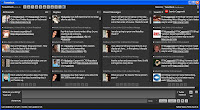
Ginx is a web based twitter client. I started using it because Ginx let me access Twitter stream where Twitter was blocked.


The primary advantage of using Ginx is the way it lets you know the URL before you click.
 

The other benefit of Ginx is auto URL shortening, a service which not many twitter clients provide. When you click the Ginx URL, it opens up on a page similar to Digg Bar. Ginx, however, supports the URL shortening and expanding only for one URL per tweet.

Ginx also provides the history of clicked links as a stream.

The demerits of Ginx overshadow its merits, probably because it is still in pre-alpha phase. 

- Sync up with Twitter was a major issue which they seemed to have fixed. But I still see a lag in the stream and is not quick in its sync up with Twitter.

- Although Twitter has updated "replies" to "mentions", Ginx is still lagging behind in the implementation when clients like Slandr rolled it out immediately on their versions. 

- Ginx does not show you which client was used (Eg: TweetDeck, Web, Twhirl etc.) to send the tweet by any user which most twitter clients support.

- I did see another issue which was pretty hard to digest. A particular user showed up on my stream whom I had un-followed using Ginx. Now that is not cool!

- The stats keeps on changing and most of the times does not show the accurate count. By stats, I mean number of people I am following, my followers and number of updates. 

Even manual sync with Twitter does not fix this. The stats shown above is when I have 252 followers and over 1700 updates. 

- It shows all sorts of replies sent by the people I follow which clutters the view on my Ginx page. Twitter and most clients like Slandr, TweetDeck etc. handles this as per Twitter configuration.

Ginx is a good concept with its URL shortening/preview functionality, but they have to work on getting the basic functionalities stable. Real-time is another "in" thing which, if they implement, can make it more popular. In its current form, it is hard for Ginx to pick up market share in this competing environment.

You can follow me on twitter @knkartha ...

Thursday, April 9, 2009

iCloud - OS/Desktop In The Cloud?

According to the post on Geek.com, first desktop in the cloud has been launched. iCloud allows users to have free online storage (upto 3GB free), applications, virtual desktop and backup.


It provides you with 30 free applications and at this moment, supports only IE and Firefox.

Does this service make sense?

iCloud gives you a whole host of options including a command line console. It also manages internet outage, which they explain in their Q & A section:

... if no Internet connection is available when attempting to save or perform changes to a document, icloud will simply store all changes in a transaction buffer that will be sent and synchronized to the data center once an Internet connection has been re-established.

In my first trial, after playing around for 5-10 mins, my IE crashed (which I can probably attribute to Microsoft), but my in subsequent trials, iCloud/IE refused show me a desktop. Firefox was no exception. It got stuck after using for 5 mins. I had to kill Firefox process to get my other applications work. Having encountered this scenario, I want to point out few things:

- iCloud has to evaluate providing an alternate provision to access the data in case the browser or iCloud desktop does not show up. Uptime of the service is very critical.

- Customization options to make the desktop lighter to a level which a user wants to use will become essential from a user experience perspective.

- After 8 years of development, even if it is an Alpha release, I would expect the application to be relatively fast, but it failed my expectation.

I think is a revolution in the making and I hope their beta release focuses more on performance and reliability more than functionalities. Also, there is massive amount of data going to be stored in the cloud once the user community starts using this application more. It's probably time that they also start thinking about monetization model.

Monday, April 6, 2009

Telecommuting Revisited

In my previous post I talked about the benefits of working from home. Just when I was researching on quantifying the benefits, I spotted a recent article by Ted Samson on Infoworld about telecommuting. Interestingly, Ted covers the same points that I mentioned in my post but has given references to some telecommuting experiments and quantified benefits. 


He drives the point from the perspective of sustainable IT. Ted lists out the benefits:

1. Increase employee productivity
2. Save companies money
3. Benefits the environment
4. Incentive for current and prospective employees

I would also include business continuity as another benefit with incidents like WTC attack or  worst snow fall in the UK having tremendous potential to affect the operations.

For productivity, he cites the example of American Express:

American Express teleworkers produce 43 percent more business than employees at the office, according to Colorado Telework Coalition. Productivity increased 31 percent among the 9,000 telecommuters in British Telecom's workforce of 80,000, according to the Telework Foundation.

 When he talks about productivity boost, he does not mention every single employee. It is critical for the company to have right recruitment structure to hire right kind of employees, set expectations and manage them effectively.

He also has provided data from Canadian Telework Association and ITAC The Telework Advisory Group of WorldAtWork around the cost savings by implementing telecommuting.

According to the Telework Advisory Group of WorldatWork, employers can realize an annual per-employee savings of $5,000 through telecommuting.

... AT&T reports savings of $3,000 per office, for approximately $550 million, by eliminating or consolidating office space. Meanwhile, about 25 percent of IBM's 320,000 workers worldwide telecommute, saving Big Blue some $700 million in real estate costs.

He also refers to Sun's telecommute program where Sun employees benefited by saving on fuel, time and wear and tear of car. He also refers to Cisco's Virtual Office package which gives remote workers and in-the-office experience.

What about India?

All said, this works very well in the US and Europe, but how does it apply in India? 

Accenture, IBM, Texas Instruments and Wipro were planning to start telecommuting on a war footing basis. Cisco is also known for encouraging telecommuting and one of the pioneers in the field. 

Let me try some math here. 

Considering an average of Rs. 1500 is spent on travel per month by an average employee (which would probably on the lower end) and with 2500 employees, the collective expense to be at work in a month is Rs. 37.5 lakhs and close to 85000 litres of fuel. Over and above this, there is wear and tear of the vehicle, traffic jams, health issues due to pollution and climatic conditions.

This is just a very basic idea of the savings. Having said, all this, telecommuting is not something that can be implemented overnight. Careful planning along with responsible behavior from employees is very critical is successfully running a telecommuting environment.

Do share the experience, benefits and challenges that you or your company had while implementing telecommuting. 

6 Ways To Monetize Twitter

Twitter as social media needs to come up with a business model
Twitter has been around since March 2006 and has been growing ever since at an exponential rate. However, Twitter does not have a revenue model and has been running on venture funding from various Venture Partners. In the long run, the moment investors stop funding it, Twitter may not be able to sustain its unprofitable business.


Users on Twitter have figured ways to make money (Magpie, Twittad etc.). There are non-profits who raise funds using twitter.

In a hilarious interview, Twitter Founder Biz Stone stated that Twitter is focused on creating value right now and not business model. It makes a lot of sense considering that there is a lot Twitter can incorporate to increase the value and experience. But being around for over 3 years, it is high time that they start thinking about how to sustain their business. In fact, they are. Evan Williams, Twitter's CEO and co-founder tells The New York Times:

"If I say any particular idea, it gets made too much of," he said. "We think Twitter will make money. I think it will take some time to figure it out."

I will still try and put in few of my ideas to monetize Twitter.

Tweet Words

           On the same lines as Google's Ad Words, Twitter can implement "Tweet Words" (I could not come up with a better name ...) where advertisers can send ads using DM or as a tweet based on keywords that the advertiser is interested in. The number of such tweets or messages will be consciously limited by the advertisers for the fear of spamming the users. This can also be done by targeting user's home stream page as banner ads. One other option is also to change the service to include ads and then create an Ad Free service which can be a paid one. 

Power Accounts

           Twitter sets API usage limit and there are Tweeple who want to use more that what is allowed. Here, Twitter has the option of creating a paid model where users/brands can pay and use Twitter API extensively without limitations. I also see a lot of users following more than 10,000 people. These users may be using search/filters to read the content that they are interested in, but when Twitter limits the "following" count to 2000, there is money lying there for Twitter to reap. For any person who wants to follow more than 2000, Twitter may charge them with a nominal amount and there are enough users/brands ready to utilize this opportunity. 

Corporate Accounts

           There are a lot of brands/corporates (Dell, Accenture, Google, Yahoo, Capgemini and many more ...) who tweet and increase their brand value. They very well can do it by using their own blog or fan pages on Facebook, but Twitter is a great source for them to get traffic and value. A partnership model can be setup with these corporates in a way that both parties can benefit. Lets say, Twitter can provide analytics facility for these corporate accounts helping them track where the traffic is coming from and probably also helping them on trend analysis. 

Get "Suggested"

            Twitter has "suggested friends" feature is largely the source of followers for high profile accounts. If there is a paid model to get into the list of suggested friends, small/large brands will always want to utilize to reap benefits and I am compelled to think that these brands would not mind paying for it. 

Communities

             ExecTweets is a sponsored site featuring feeds from "top business executives". On the similar lines, Twitter can create specialized communities for users to participate by paying a nominal fees. This, however, will have to be different from the regular membership that every user has. 

Goodies

             Not the greatest of ideas, but Twitter can come out with goodies. What I mean by this is, convert Twitter Bird and Fail Whale into commercial commodities that can be sold and I am pretty sure, they can make some quick bucks out of it. 

Twitter has to come out with a comprehensive business plan. Microblogging is relatively young and without a good business model, Twitter may not survive to become as big as Evan Williams claims it to become.


Do follow me on Twitter @knkartha ...

Tuesday, March 31, 2009

Comparing Social Software Desktop Clients

There are a bunch of desktop clients available for Twitter, but here I am trying to target the clients that allow accessing other social networks, and facilitate cross posting. With this sudden surge of social networks and a lot of people are getting on to multiple networks like Facebook, Flickr, Blogger, Yammer, Twitter etc and it is high time that we have clients which connect to other networks too.


Twhirl

Twhirl has pretty slick interface and connects to Jaiku and Ping.fm. It uses Ping.fm to connect to other social networks like Facebook and MySpace but does not connect by itself. Twhirl does not let you see the status updates and activities in your other networks on your desktop client. Instead, it just facilitates cross-posting your updates only. The application is light weight and very user friendly.


TweetDeck

TweetDeck is one of the widely used desktop clients for Twitter. It has Spaz, Snitter, Twhirl, DestroyTwitter etc as competitors. TweetDeck has column based view and you can add quite a few columns for search terms that you want to track. This is apart from your own stream, replies stream and direct messages stream. Twhirl does not give you this flexibility. TweetDeck recently brought out a pre-release version which integrates with Facebook where it allows the user to view status updates of friends on Facebook as well as post messages from Twitter on to Facebook. Being a pre-release version, they have kept it pretty simple. TweetDeck also has API usage statistics and Twitter status. It, however, needs to provide more customizations for the UI like changing fonts and resizing columns.


AlertThingy

AlertThingy's enhanced version was recently released and allows access to Twitter, Facebook, Yammer, Basecamp, Flickr and a host of other social networks. Apart from messages, you can post links and photos on to Facebook which is not provided in TweetDeck or Twhirl. Not just that, AlertThingy lets you access news feeds too which I think is pretty cool. It lags behind in customizations of the UI though. It comes as a very handy tool when you want to use Twitter with Yammer and Facebook. They also have a FriendFeed version. If your popup notification is ON, it can become a little irritating after a while whereas TweetDeck and Twhirl have pretty slick notification system. TweetDeck and Twhirl also scores with reply and re-tweet buttons placed on the Avatar rather than as a separate "Option" in AlertThingy.

All three of these are built on Adobe AIR which makes it work on both Windows and Mac. AlertThingy is rich with functionalities and looks like it has become complicated, but Twhirl and TweetDeck keeps it simple. TweetDeck offers better experience in its simplicity.

Monday, March 30, 2009

Facebook Integration On TweetDeck Helps?

TweetDeck - Twitter client
TweetDeck has a pre-release version out with Facebook integration. Now, there is AlertThingy that connects to Twitter, Facebook, Flickr, Tumblr, Yammer etc which seems to be far more comprehensive. TweetDeck, however, has the edge of being one of the most popular tool that works with Twitter.

What you get from the Facebook integration is "status" messages. This integration helps us work from single platform to connect to all the social networks and communicate. But, for me, Facebook integration does not make much of a sense except for the fact that it just lets you see the status messages or cross-post messages on to Facebook.

The power of status messages on Facebook is just like tweets on Twitter, but with lesser frequency and more privacy. Status messages evoke participation and communication through responses in the form of comments. But with tools like TweetDeck and AlertThingy, the commenting feature takes a hit. Not just that, for friends who have not signed up on twitter, you need to respond through Facebook by logging in. TweetDeck and AlertThingy fails here.

If Facebook lets developers access comments through their API and TweetDeck can come up with a innovative UI design on Adobe AIR to pull comments from Facebook and also give provision to post comments back into Facebook, then the integration makes a lot of sense and is useful for social media geeks.

I used Facebook integration feature on TweetDeck for couple of days and did not see any benefit.

Did anyone of you find TweetDeck-Facebook integration in its current form useful?

And Here Comes The Flying Car

No more road trips?

Seen flying cars in movies? Here comes one for real.

"Terrafugia Transition" is first flying car and it passed the first flight test on March 5th, 2009.

It can fly up to 450 miles at 115 miles per hour.

"... two-seat, four-wheeled, carbon-fiber-composite aircraft, which can fly up to 450 miles at 115 miles per hour and is distinguished by folding wings that ratchet out of the way when it’s on the ground. That makes the craft just 80 inches wide, narrow enough to tool down the highway—where it can go up to 65 mph and get 30 miles to the gallon."

The video of the first test:


I want 500 meters stretch infront of my apartment so that I can take off this "car". I am going to write a letter to GHMC for leveling the road.